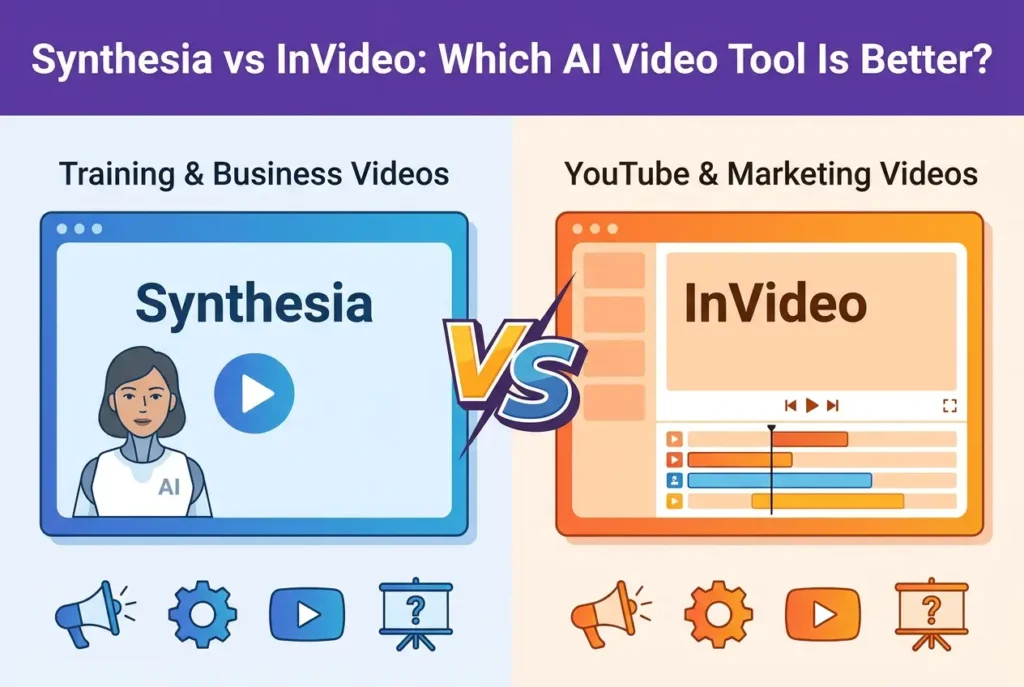
Synthesia is better if you need AI avatar videos for training, onboarding, internal communication, explainers, or product demos. InVideo is better if you need fast script-to-video production for YouTube, social media, faceless videos, stock-footage videos, and marketing content.
After reviewing real user discussions, practical workflows, complaints, and case-style examples, the biggest takeaway is this: Synthesia and InVideo do not solve the same problem. Synthesia helps you create presenter-led videos without filming a person. InVideo helps you turn scripts or prompts into edited videos using stock footage, captions, voiceovers, and templates.
The right choice depends less on “which tool is more powerful” and more on what kind of video you need to publish.
For most teams:
- Wählen Synthesia for corporate training, compliance videos, onboarding, learning content, product explainers, and multilingual avatar-based videos.
- Wählen InVideo for YouTube automation, faceless channels, social media clips, real estate marketing drafts, content repurposing, and stock-footage-based promotional videos.
- Avoid expecting either tool to produce perfect, final, brand-ready videos with no editing.
- Treat both tools as production accelerators, not full replacements for strategy, scripting, editing, instructional design, or brand review.
The most important practical insight from my user research is this: people do not just want AI-generated video. They want video that is accurate, editable, on-brand, believable, and good enough to publish.
| Vergleichsfaktor | Synthesia | InVideo |
|---|---|---|
| Am besten geeignet für | AI avatar videos, training, onboarding, internal communication, explainers | YouTube videos, social media clips, faceless videos, stock-footage videos, marketing drafts |
| Main video format | Avatar-led presenter video | Script-to-video with stock footage, captions, voiceover, and templates |
| Best audience | L&D teams, HR teams, educators, product marketers, internal communication teams | YouTubers, social media managers, marketers, small businesses, content creators |
| Größte Stärke | Scalable presenter-led video without filming a real person | Fast first drafts for visual videos using scripts and stock media |
| Größte Schwäche | Avatar videos can feel robotic, repetitive, or distracting | Stock footage can be generic, inaccurate, or off-brand |
| Beste Rolle im Arbeitsablauf | Replacing or reducing on-camera presenter recording | Creating fast video drafts and social-ready edits |
| Needs human editing? | Yes, especially for learning design, script quality, and audience fit | Yes, especially for footage selection, brand control, pacing, and final polish |
| Best choice if you need | A virtual presenter explaining structured information | A fast way to turn a script into a visual video |
| Not ideal for | Long passive talking-head lessons, emotional storytelling, highly interactive training | Precision-heavy videos, premium brand campaigns, fully original visual storytelling |
Synthesia vs InVideo: Quick Verdict for AI Video Creation
Wenn Sie vergleichen Synthesia vs. InVideo, start with the format of the video you need.
Synthesia is an AI avatar video platform. It is designed around a virtual presenter speaking your script. That makes it useful for training, onboarding, explainer videos, internal updates, product demos, and cases where a human-like narrator can replace filming a real person. If you are exploring this space, you might also want to look into other competitors like HeyGen vs. InVideo to see how different avatar technologies stack up.
InVideo is an AI video generator and editor. It is built around turning prompts, scripts, or ideas into videos using stock footage, text overlays, voiceovers, captions, music, and templates. That makes it more useful for YouTube, social media, faceless channels, marketing content, and fast video drafts. To understand its full capabilities, check out our comprehensive InVideo AI im Test.
Here is the simplest way to decide:
| Anwendungsfall | Besseres Werkzeug | Warum |
|---|---|---|
| Betriebsschulungen | Synthesia | AI avatars are better suited to structured presenter-led lessons |
| Einarbeitung neuer Mitarbeiter | Synthesia | Consistent presenter videos can be scaled and updated without reshooting |
| Compliance-Schulung | Synthesia | Repeatable scripts and multilingual delivery are useful for standardized training |
| Product demo introduction | Synthesia | A presenter can explain the problem, feature, or workflow before showing the product |
| Full product walkthrough | Das kommt darauf an | Synthesia works for narration; InVideo or screen recording works better for visual assembly |
| YouTube faceless videos | InVideo | The workflow depends on scripts, stock footage, captions, and scene-based editing |
| YouTube Shorts | InVideo | Better fit for fast, captioned, visual short-form content |
| Social media ads | InVideo | Templates, captions, music, and visual pacing are more useful than a static avatar |
| Immobilienvideos | InVideo | Property visuals and promotional editing matter more than avatar narration |
| Online courses without showing your face | Synthesia | AI avatars can replace on-camera recording, especially for short lesson segments |
| Software-Anleitungen | Neither alone | Screen recording should be the foundation; Synthesia or InVideo can support packaging |
| Interne Kommunikation | Synthesia | Avatar-led announcements can replace repetitive presenter recordings |
| Marke Storytelling | Auch nicht als Ein-Klick-Lösung | Both tools usually need creative direction and human editing |
| High-volume content production | InVideo | Faster for generating and formatting many content drafts |
The biggest mistake is comparing Synthesia and InVideo as if they are interchangeable. They are not. Synthesia is strongest when the video needs a presenter. InVideo is strongest when the video needs visual variety, footage, captions, and fast assembly. If you find InVideo’s workflow isn’t the right fit for your specific content style, you can always look for a Die beste Alternative zu InVideo or see how it compares in other design-focused ecosystems like InVideo vs. Canva and editing toolsets like InVideo vs. Pictory.
Before committing to a plan, make sure to read the Leitfaden zum InVideo-Abonnement and check the Preisstruktur von InVideo AI to see how much you will need to spend. Don’t forget that your usage will depend heavily on InVideo AI generative credits, so planning your budget ahead of time is key. If you decide to sign up, you can save on your subscription by using an InVideo-Gutscheincode.
Synthesia vs InVideo for Corporate Training and E-Learning
Für Firmenschulungen, Synthesia usually fits the category better than InVideo, but that does not automatically mean it creates better learning outcomes.
Synthesia is attractive for training because it solves a real production problem: filming people is slow, expensive, and difficult to scale. If a company needs dozens of onboarding modules, compliance updates, HR explainers, software introductions, or internal process videos, using an AI avatar can dramatically simplify production.
In my user research, Synthesia was most often associated with:
- Employee training
- E-learning modules
- Interne Kommunikation
- Produktdemonstrationen
- Erklärvideos
- Awareness training
- Course creation without appearing on camera
The benefit is clear: you can write a script, choose an avatar, generate a presenter-led video, and update it later without reshooting.
However, the strongest criticism was also clear: AI avatar videos can become passive, repetitive, and distracting.
In one training-related case, a team used Synthesia-style talking-head videos for awareness and training content. The goal was to modernize learning content and avoid traditional static materials. The result was mixed. Learners started reacting negatively to talking-head AI videos, especially when the format became repetitive. The team began considering whether explainer videos, interactive tools, or even simpler documentation might work better.
The practical lesson is important: an AI avatar does not automatically make training engaging.
For training, Synthesia works best when:
- The script is short and focused.
- The avatar supports the explanation instead of dominating it.
- The video is combined with examples, screen recordings, quizzes, decision points, or practice tasks.
- The content is updated often enough to justify AI production.
- The goal is knowledge transfer, not emotional storytelling.
Synthesia works poorly when:
- The video is long and mostly a talking head.
- The learner needs to practice a skill, not just hear information.
- The avatar creates an uncanny or robotic feeling.
- The audience is already skeptical of AI-generated content.
- The training team uses video as a replacement for instructional design.
A key training case involved internal learning content where engagement scores reportedly dropped after using AI avatar videos. No exact percentage or score was shared, but the direction of the impact was clear enough to influence rollout decisions. The team became hesitant to use the same format for external customer training.
That case matters because it shows the real risk: Synthesia can reduce production friction while still failing the learner experience test.
For corporate training, my recommendation is:
Verwenden Sie Synthesia when you need scalable, repeatable, presenter-led training. But do not rely on Synthesia alone to create engagement. Pair it with interactive learning design, real examples, screen recordings, assessments, and concise scripts.
Synthesia vs InVideo for YouTube Faceless Channels
For YouTube faceless channels, InVideo is usually the better fit because the workflow is closer to what faceless creators need: script, voiceover, stock footage, captions, transitions, music, and export.
Faceless YouTube creators typically want to avoid filming themselves. Their workflow often looks like this:
- Find or generate a topic.
- Write a script.
- Generate or record a voiceover.
- Find relevant stock footage or images.
- Add captions and text overlays.
- Edit pacing and transitions.
- Publish consistently.
InVideo fits this workflow better than Synthesia because it can assemble a video around visuals rather than a single avatar presenter.
In my research, users evaluating tools like InVideo, Fliki, and Pictory were often asking one core question: Can these tools produce long-form faceless videos that are good enough to publish and monetize?
That question reveals the real concern. Creators are not impressed by a tool that simply generates a video. They care whether the output is watchable, accurate, engaging, and distinct enough to avoid feeling like low-effort AI spam.
The main pain point with InVideo-style tools is footage quality and relevance. AI can generate a draft quickly, but it may select generic or mismatched stock clips. For simple motivational, listicle, informational, or social content, this may be acceptable. For history, science, real estate, finance, education, product explainers, or narrative content, mismatched visuals can hurt credibility.
One creator workflow case showed that InVideo and similar tools can speed up production, but still require manual cleanup. The “after” workflow was not fully automated. It became:
- AI generates the initial video draft.
- The creator reviews every scene.
- Irrelevant stock footage is replaced.
- Scene length is adjusted.
- Captions and voiceover are checked.
- The final video is polished manually.
No measurable time-saving figure was shared, but the workflow improvement was clear: InVideo can reduce the blank-page problem and create a usable first draft. It does not reliably remove the editing stage.
For faceless YouTube, InVideo works best when:
- The topic can be represented with broad stock footage.
- The creator is willing to edit the draft.
- The script is structured into clear scenes.
- The brand does not depend on highly original visuals.
- The goal is consistent output rather than cinematic originality.
InVideo works poorly when:
- The content requires precise visuals.
- The video depends on deep storytelling.
- The creator expects one-click monetizable content.
- The niche is already saturated with generic AI videos.
- The video must feel highly original or expert-led.
For YouTube, my recommendation is:
Verwenden Sie InVideo as a first-draft engine, not a final editor. It is useful for speeding up faceless production, but the creator still needs to own the script, pacing, fact-checking, visual selection, and final quality control.
Synthesia vs InVideo for Marketing Videos and Social Media Content
For marketing videos and social media content, InVideo is usually more flexible, while Synthesia is better for presenter-led explainers and product communication.
Marketing teams often need many different types of videos:
- Produktbeschreibungen
- Short promotional clips
- Social ads
- Founder-style updates
- Customer education videos
- Real estate listing videos
- Feature announcements
- Repurposed blog or webinar content
- Sales enablement videos
InVideo is useful when the marketing team needs fast visual assembly. It can help turn a script or prompt into a social-ready draft with stock footage, captions, music, and text overlays. That makes it especially relevant for teams that publish frequently across YouTube, Instagram, TikTok, LinkedIn, or Facebook.
Synthesia is useful when the marketing message needs a presenter. For example, a product marketer might use Synthesia to create an explainer video, product demo introduction, feature walkthrough, or internal sales training asset.
The main difference is this:
InVideo helps you create marketing videos that look like edited content. Synthesia helps you create marketing videos that look like someone is presenting.
A useful marketing case came from a real estate workflow. The goal was to use an AI video tool to generate polished videos from detailed prompts while also adding brand assets, property photos, and marketing materials. InVideo’s paid version was tested for this purpose.
The outcome was mixed:
- The tool was promising in concept.
- The generated video was not polished enough to publish without review.
- Some words were misread.
- Adding custom branding, photos, and materials was harder than expected.
- The final result did not feel fully publish-ready.
No measurable ROI, conversion lift, or cost saving was shared. But the case exposed a practical gap: business users need control, not just automation.
For marketing, the difference between a fun AI demo and a usable business asset is:
- Can I upload my own brand assets?
- Can I control the visuals?
- Can I fix pronunciation errors?
- Can I replace weak scenes?
- Can I match our brand tone?
- Can I publish this without damaging credibility?
- Can I reuse the workflow consistently?
This is where many AI video tools still fall short.
For marketing videos, choose InVideo wann:
- You need quick social videos.
- You rely on stock footage.
- You want captions, templates, and fast editing.
- You are producing high-volume content.
- You are comfortable manually polishing the output.
Wählen Synthesia wann:
- You need a presenter-led message.
- You want consistent product explainers.
- You need internal sales enablement videos.
- You want a polished avatar reading a structured script.
- You are producing training-style marketing content.
For polished external campaigns, neither tool should be treated as a full replacement for creative direction. The best workflow is to use AI for first drafts, then apply human judgment for brand, audience, and conversion quality.
Synthesia vs InVideo for Product Demos and Explainer Videos
For product demos and explainer videos, the better choice depends on whether the video needs a presenter or a visual sequence.
Synthesia is better for presenter-led explainers. InVideo is better for stock-footage or scene-based explainers.
A Synthesia-style product explainer might look like this:
- AI avatar introduces the problem.
- Avatar explains the product or feature.
- Screen recording shows the interface.
- Short call-to-action ends the video.
An InVideo-style product explainer might look like this:
- Text hook opens the video.
- Stock footage visualizes the problem.
- Voiceover explains the solution.
- On-screen captions reinforce key points.
- Product screenshots or clips are inserted.
- CTA appears at the end.
If the explainer needs trust, authority, and direct explanation, Synthesia can work well. If the explainer needs pace, visual variety, social formatting, and stock footage, InVideo is usually more practical.
However, my research surfaced a recurring issue with both tools: the AI-generated output often needs human editing to become persuasive.
For product demos, the most reliable workflow is:
- Write the script manually or heavily edit the AI script.
- Keep the message focused on one problem and one outcome.
- Use Synthesia for the presenter section if a human-like narrator is helpful.
- Use screen recording for actual product proof.
- Use InVideo or a traditional editor for visual pacing and captions.
- Review the final video for accuracy, tone, and brand consistency.
The strongest product demo videos are not just “AI-generated.” They are structured around a clear user problem.
For example:
Before AI video tools, a team might need to schedule a presenter, record a voiceover, capture screen footage, edit the video, add captions, and create multiple versions for different audiences.
After using AI video tools, the team can generate the presenter or draft video faster. But the final quality still depends on the script, product footage, editing choices, and message clarity.
No hard production-speed metric was shared in the case discussions I reviewed, but the operational pattern was consistent: AI video tools reduce production friction, but they do not replace product marketing judgment.
For product explainers, my recommendation is:
- Verwenden Sie Synthesia when the video benefits from a narrator or avatar.
- Verwenden Sie InVideo when the video needs fast visual assembly.
- Use both together if you need an avatar introduction plus edited visual scenes.
- Always include real product footage where possible.
Synthesia vs InVideo for Online Courses and Long-Form Educational Content
For online courses, Synthesia can be useful for creators who do not want to appear on camera, but it should be used carefully for long-form content.
One course creation case involved a creator who wanted to produce 10+ hours of course videos without showing their face. That is one of the clearest use cases for AI avatar tools. Recording 10+ hours of on-camera video can be exhausting, time-consuming, and uncomfortable for creators who care about privacy.
Synthesia solves part of that problem. It allows a course creator to produce presenter-led lessons without filming themselves.
The “before” workflow:
- Prepare slides or lesson scripts.
- Set up camera and lighting.
- Record yourself speaking.
- Re-record mistakes.
- Edit long footage.
- Export and upload.
The “after” workflow with an AI avatar:
- Prepare lesson scripts.
- Generate avatar-led videos.
- Update scripts without reshooting.
- Create lessons without appearing on camera.
The measurable data point here is the course size: 10+ hours of intended video content. No revenue impact, completion rate, or time-saving percentage was shared, so those numbers should not be invented.
However, the case raises a major instructional design issue: 10+ hours of AI avatar video can become monotonous if it is just a talking head.
For online courses, Synthesia is useful when:
- The creator does not want to appear on camera.
- Lessons are short and modular.
- The avatar is used to introduce or summarize concepts.
- The course also includes slides, examples, demos, worksheets, quizzes, or exercises.
- Content needs to be updated frequently.
Synthesia is risky when:
- The entire course is long avatar narration.
- There is little visual variation.
- The content requires emotional connection.
- Learners need hands-on practice.
- The course relies on personality and trust.
InVideo can also support online courses, but mostly for supplemental content. It can create intros, summaries, promotional videos, stock-footage explainers, or short educational clips. It is less ideal as the main platform for structured course delivery.
For long-form courses, my recommendation is:
Verwenden Sie Synthesia for short instructor-style segments, not as the entire course experience. Use screen recordings, slides, examples, assignments, quizzes, and interactive elements to keep the learning experience active.
Synthesia vs InVideo for Software Training and Screen Recording
For software training, neither Synthesia nor InVideo should replace clear screen recording.
One of the most practical findings from my research came from software and coding education. In that context, the screen is the content. Learners need to see exactly where to click, what changes, what errors appear, and how the workflow unfolds.
An AI avatar may add personality, but it can also distract from the real task. For software training, the most valuable improvements are often simple:
- Clear screen recording
- Zoomed-in interface elements
- Cursor emphasis
- Step-by-step narration
- Short segments
- Error examples
- Practice exercises
- Captions and chapter markers
A software training case showed that the better solution was not necessarily an avatar. The more useful improvement was making the screen easier to follow with clearer UI focus and cursor zoom. Completion reportedly improved, but no specific percentage or number was shared.
That distinction matters. In software education, learners are not asking, “Is the presenter realistic?” They are asking:
- Can I follow the workflow?
- Can I see the screen?
- Can I repeat the steps?
- Can I troubleshoot mistakes?
- Can I apply this immediately?
Synthesia can still be useful for software training when used in the right place. For example:
- An avatar introduces the lesson.
- A screen recording demonstrates the actual workflow.
- The avatar returns briefly to summarize.
- A quiz or task checks understanding.
InVideo can help package the video with captions, music, callouts, and social-ready formatting. But for the core training, screen clarity matters more than AI generation.
For software training, my recommendation is:
Verwenden Sie screen recording as the foundation. Add Synthesia only if a presenter improves clarity. Use InVideo only if you need faster editing, captions, or repurposed clips.
Synthesia vs InVideo: Real-World Case Studies from User Research
The clearest way to compare Synthesia and InVideo is to look at actual workflows, not feature lists.
Case Study 1: Faceless YouTube Creator Testing InVideo-Style Tools
Use case: Creating long-form faceless YouTube videos using AI-generated scripts, voiceovers, stock footage, and subtitles.
User profile: A faceless YouTube creator evaluating tools such as InVideo, Fliki, and Pictory.
Das Ziel: Build a content workflow that could support YouTube publishing and potentially monetization.
Tools mentioned: InVideo, Fliki, Pictory.
Quantifiable data: No measurable data shared.
Vorher: The creator would need to manually write scripts, find visuals, record or generate voiceovers, edit footage, add subtitles, and publish.
Danach: AI tools could generate a complete draft, but the creator still had to check whether footage matched the script and whether the final video was good enough to publish.
Einsicht: InVideo-style tools are useful for speeding up ideation and draft creation, but they do not guarantee monetizable or high-retention content.
Case Study 2: YouTube Creator Using AI Video Tools to Speed Up Editing
Use case: Using InVideo/Pictory-style tools to produce faceless or semi-automated YouTube content faster.
User profile: YouTube creator experimenting with AI video generation.
Das Ziel: Reduce production time and publish more consistently.
Tools mentioned: InVideo, Pictory.
Quantifiable data: No measurable data shared.
Vorher: Manual editing required selecting footage, creating scenes, adjusting timing, and adding captions.
Danach: AI created an initial video draft, but the creator still needed to replace generic footage and adjust scene pacing.
Einsicht: The practical benefit is not “zero editing.” The benefit is faster first drafts.
Case Study 3: Real Estate Marketing Workflow with InVideo Paid Version
Use case: Creating polished real estate or property marketing videos from detailed text prompts.
User profile: Real estate or property marketing professional.
Das Ziel: Generate publish-ready videos that could include brand assets, property photos, and custom marketing materials.
Tools mentioned: InVideo.ai.
Quantifiable data: No measurable data shared.
Vorher: The user needed a workflow that could combine property visuals, branding, narration, and professional presentation.
Danach: InVideo’s paid version showed promise, but the output still had issues: misread words, limited brand control, difficulty integrating custom photos and materials, and a final result that did not feel fully publish-ready.
Einsicht: For business marketing, AI video generation must be editable and brand-safe. Speed alone is not enough.
Case Study 4: Corporate Training Team Using Synthesia Avatar Videos
Use case: Creating training and awareness content with Synthesia-style AI avatars.
User profile: E-learning or corporate training team.
Das Ziel: Make training content faster and more engaging.
Tools mentioned: Synthesia, DistilBook, Powtoon, Vyond, BongoLearn.
Quantifiable data: No measurable data shared.
Vorher: The team used more traditional learning materials or non-avatar training formats.
Danach: AI talking-head videos were introduced, but learner reactions became negative. The team started considering explainer videos, interactive content, and other learning tools.
Einsicht: AI avatars can make production easier, but training still needs interaction, relevance, and active learning.
Case Study 5: Internal Learning Team Seeing Engagement Concerns with Synthesia
Use case: Testing Synthesia for internal learning and potential external customer training.
User profile: E-learning company or internal training team.
Das Ziel: Improve production efficiency and create scalable training content.
Tools mentioned: Synthesia, Argil, TuringShot.
Quantifiable data: Engagement score reportedly dropped, but no exact number was shared.
Vorher: The team considered Synthesia as a scalable option for learning content and internal communications.
Danach: Internal learner feedback was negative enough that the team hesitated to use the same AI avatar format for external customer training.
Einsicht: The biggest risk with Synthesia is not production quality alone. It is audience acceptance.
Case Study 6: Software Training Choosing Screen Recording Over Avatar Video
Use case: Teaching coding or software workflows online.
User profile: Online coding instructor or software educator.
Das Ziel: Improve lesson clarity and completion.
Tools mentioned: TuringShot on Mac.
Quantifiable data: Completion reportedly improved, but no exact figure was shared.
Vorher: The instructor considered or used standard training formats where learners needed to follow software steps.
Danach: The instructor focused on clearer screen recordings, UI visibility, and cursor zoom instead of relying on an AI avatar.
Einsicht: For software education, clarity beats novelty. Learners need to see the workflow more than they need a virtual presenter.
Case Study 7: Course Creator Planning 10+ Hours of AI Avatar Video
Use case: Creating a long online course without appearing on camera.
User profile: Online course creator.
Das Ziel: Produce more than 10 hours of course video while protecting personal privacy.
Tools mentioned: AI avatar tools, including Synthesia-style platforms.
Quantifiable data: 10+ hours of planned course video.
Vorher: The creator would need to appear on camera or record long voiceover-based lessons.
Danach: AI avatars offered a way to create presenter-led lessons without showing the creator’s face.
Einsicht: AI avatars solve the privacy and recording barrier, but long-form courses still need varied instructional design to avoid fatigue.
Synthesia vs InVideo Pricing, Value, and ROI Considerations
| ROI Factor | Synthesia Impact | InVideo Impact | What to Measure |
|---|---|---|---|
| Recording time | Can reduce or replace presenter recording | Limited impact unless replacing voiceover/video capture | Hours spent recording before vs after |
| Editing time | Reduces presenter reshoots, but still needs review | Can speed up first drafts, but footage review remains necessary | Time from script to final video |
| Content update speed | Strong for updating scripted avatar videos | Useful for revising social or stock-footage videos | Number of updates completed without full remake |
| Markenkonsistenz | Good for consistent avatar-led communication | Depends on manual brand asset control | Number of brand edits required |
| Training engagement | Can help or hurt depending on design | Usually not primary training tool | Completion rate, engagement score, learner feedback |
| YouTube production volume | Limited for faceless visual channels | Stronger for high-volume draft production | Videos published per week |
| External marketing quality | Useful for explainers | Useful for drafts and social content | Conversion rate, retention, approval time |
| Hidden costs | Scriptwriting, learning design, avatar acceptance | Footage replacement, editing, brand cleanup | Manual review time per video |
When evaluating Synthesia vs InVideo pricing, the real question is not just the subscription cost. The real question is whether the tool reduces enough production work to justify the cost without hurting quality.
In my research, users rarely shared hard ROI numbers. That is important. There were no reliable claims like “reduced cost by 40%” or “increased conversions by 25%” in the case-style discussions I analyzed. So the responsible conclusion is:
No verified ROI percentage, revenue lift, or cost-saving figure was available from the user cases reviewed.
However, the value patterns were clear.
Synthesia creates value when it reduces:
- On-camera recording
- Presenter scheduling
- Studio setup
- Re-recording time
- Multilingual video production friction
- Internal training video backlog
InVideo creates value when it reduces:
- Blank-page video creation
- Manual scene assembly
- Subtitle creation
- Basic social video editing
- Stock footage search time
- First-draft production time
But both tools can create hidden costs:
- Manuelle Bearbeitung
- Brand review
- Fact-checking
- Replacing irrelevant visuals
- Fixing pronunciation
- Reworking scripts
- Managing audience skepticism
- Improving weak AI-generated creative
The best way to measure ROI is to track your own before-and-after workflow.
For Synthesia, measure:
- Hours spent recording training videos before vs after
- Number of videos produced per month
- Cost of presenters, editors, or agencies avoided
- Learner completion rate
- Training engagement score
- Number of content updates made without reshooting
For InVideo, measure:
- Time from script to first draft
- Time spent replacing AI-selected footage
- Number of videos published per week
- Editing cost per video
- Viewer retention
- Click-through rate
- Conversion rate for marketing videos
The key is not whether Synthesia or InVideo is cheaper. The key is whether either tool improves the workflow without lowering the quality of the final video.
Synthesia vs InVideo: Main Limitations You Should Know Before Buying
Both Synthesia and InVideo are useful, but neither should be treated as a magic one-click video solution.
Synthesia limitations
The main limitations of Synthesia are:
- AI avatars can feel robotic.
- Talking-head videos can become repetitive.
- Learners may focus on the avatar instead of the content.
- Lip-sync or expression issues can reduce trust.
- Long videos can feel monotonous.
- Avatar-based training does not replace instructional design.
- Some audiences may reject AI presenters, especially in high-trust contexts.
The biggest Synthesia risk is audience acceptance. A video can be technically polished and still fail if viewers find the avatar distracting or unnatural.
InVideo limitations
The main limitations of InVideo are:
- Stock footage can feel generic.
- AI-selected visuals may not match the script.
- Brand customization may require extra manual work.
- Pronunciation errors can reduce credibility.
- Professional users may find creative control limited.
- The output may need significant editing before publishing.
- One-click videos can look similar to other AI-generated content.
The biggest InVideo risk is generic output. A video can be generated quickly but still fail because it feels templated, inaccurate, or forgettable.
Shared limitations
Both tools share a larger limitation: they do not replace human judgment.
You still need:
- A clear audience
- A strong script
- Accurate information
- Brand standards
- Editing review
- Visual judgment
- Learning design or marketing strategy
- Performance measurement
AI video tools accelerate production. They do not automatically create trust, retention, conversions, or learning outcomes.
Synthesia vs InVideo: Best Workflow Recommendations
The best results usually come from using Synthesia or InVideo inside a larger workflow, not relying on either tool alone.
Best Synthesia workflow for training
- Start with a learning objective.
- Write a short script for one specific topic.
- Use Synthesia for the presenter segment.
- Add screen recordings, examples, or diagrams.
- Include a quiz, task, or reflection.
- Track completion and engagement.
- Update weak modules based on learner feedback.
This works because it treats Synthesia as a delivery tool, not the entire learning experience.
Best InVideo workflow for YouTube or social media
- Start with a strong human-edited script.
- Break the script into clear scenes.
- Generate a draft in InVideo.
- Replace generic or inaccurate stock footage.
- Adjust pacing and captions.
- Add brand assets manually.
- Review the final video before publishing.
This works because it treats InVideo as a draft builder and editor, not a full creative strategist.
Best combined workflow
For some teams, the best answer is not Synthesia or InVideo. It is Synthesia plus InVideo.
For example:
- Use Synthesia to create a short avatar introduction.
- Use screen recordings or product footage for the core demonstration.
- Use InVideo to assemble scenes, captions, music, and social versions.
- Export multiple formats for training, LinkedIn, YouTube, and sales enablement.
This combined workflow is especially useful for product marketing, internal training, and customer education.
Synthesia vs InVideo: Which One Should You Choose?
Wählen Synthesia if your main need is AI avatar video.
Synthesia is the better choice when you need:
- Schulungsvideos für Unternehmen
- Einführung neuer Mitarbeiter
- Compliance content
- Interne Kommunikation
- Von einem Moderator geleitete Erklärvideos
- Course modules without appearing on camera
- Product demo introductions
- Multilingual avatar-based videos
Wählen InVideo if your main need is fast video creation from scripts, prompts, and stock footage.
InVideo is the better choice when you need:
- YouTube faceless videos
- Videos in sozialen Medien
- Marketing drafts
- Stock-footage explainers
- Short promotional videos
- Content repurposing
- Captioned video content
- Fast first drafts
Choose neither as a fully automated final-production solution if you need:
- Premium brand campaigns
- High-emotion storytelling
- Complex product narratives
- Precise educational visuals
- Fully original footage
- High-conversion ads without manual testing
- Enterprise-grade learning outcomes without instructional design
My final recommendation:
For training and avatar-led content, choose Synthesia. For YouTube, social media, and stock-footage-based videos, choose InVideo. For serious business use, treat both as production accelerators that still require scripting, editing, brand control, and performance review.
Final Verdict: Synthesia vs InVideo
Synthesia and InVideo are both useful AI video tools, but they serve different jobs.
Synthesia is the better choice for AI avatar videos, training, onboarding, internal communication, product explainers, and course content where a presenter is useful.
InVideo is the better choice for YouTube, faceless videos, social media, stock-footage videos, marketing drafts, and fast script-to-video production.
The real decision is not which tool is “best.” The real decision is which workflow you need.
If your video needs a presenter, choose Synthesia.
If your video needs fast visual assembly, choose InVideo.
If your video needs to be polished, trusted, on-brand, and performance-driven, use either tool as a starting point — then add human editing, strategy, and quality control before publishing.