
O InVideo é a melhor opção se você quiser um aplicativo mais gerador flexível de vídeos com IA para fluxos de trabalho do tipo “prompt para vídeo”, geração de roteiros e maior controle criativo. O Pictory é a melhor opção se o seu objetivo principal for transformar roteiros, artigos, webinars ou conteúdos já existentes em vídeos baseados em imagens de banco de imagens rapidamente.
Com base na minha pesquisa com usuários e na análise do fluxo de trabalho, nem o InVideo nem o Pictory é uma verdadeira “máquina de automação do YouTube com um clique e sem intervenção humana”. Ambas podem acelerar a produção, mas ainda exigem edição humana se você se preocupa com a qualidade do vídeo, a retenção do público, a consistência da marca e o potencial de monetização.
A maior diferença é esta:
Escolha o InVideo se você deseja um fluxo de trabalho de criação de vídeo com IA mais completo. Escolha o Pictory se você deseja uma ferramenta mais rápida para reutilização de conteúdo, como a conversão de roteiros em vídeos, de artigos em vídeos e a criação de vídeos com imagens de banco de imagens.
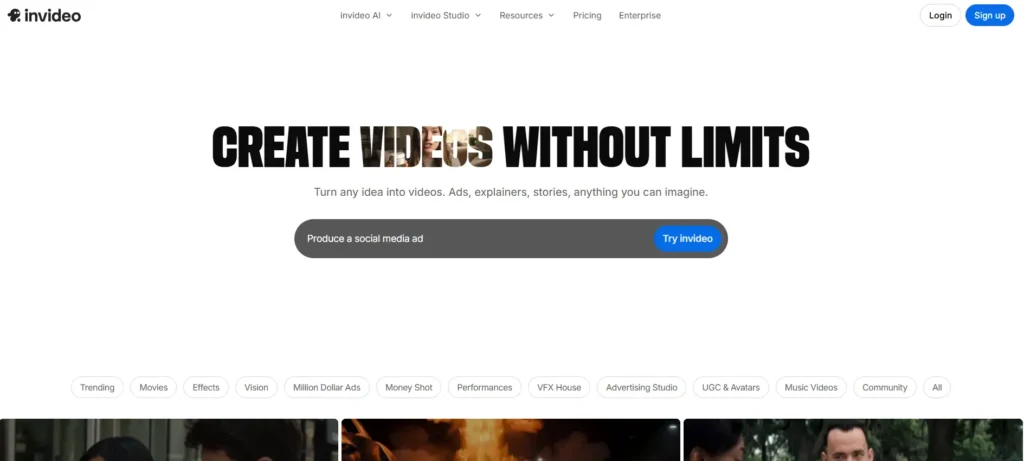
InVideo x Pictory: Veredicto rápido
Se você estiver comparando InVideo x Pictory Seja para automação no YouTube, vídeos sem rosto, conteúdo de marketing ou vídeos educativos, aqui está a resposta prática.
| Categoria | Em vídeo | Pictory | A melhor escolha |
|---|---|---|---|
| Ideal para | Criação de vídeo a partir de prompts, criação de vídeo assistida por IA, rascunhos do YouTube sem rosto | Transformação de roteiro em vídeo, transformação de artigo em vídeo, reaproveitamento de conteúdo | Depende do fluxo de trabalho |
| YouTube sem rosto | É melhor começar a partir de ideias ou sugestões | É melhor se o script já existir | Em vídeo |
| Do roteiro ao vídeo | Ótimo, especialmente quando é preciso ajuda com o script | Mais eficaz na transformação de roteiros finalizados em vídeos | Pictory |
| Artigo para vídeo | É útil, mas não é o ponto forte principal | Caso de uso sólido | Pictory |
| Correspondência de imagens de arquivo | Pode ser relevante para temas amplos, mas pode parecer genérico | Rápido, mas pode não corresponder ao contexto | Empate, com necessidade de revisão manual |
| Geração de roteiros por IA | Mais forte | Mais difícil se começar do zero | Em vídeo |
| Legendas e legendas para surdos | Funcional, mas talvez precise de melhorias no design | Funcional, mas pode parecer baseado em modelos | Empate |
| Fluxo de trabalho de dublagem | Funciona melhor quando combinado com ferramentas de voz específicas | Funciona melhor quando combinado com ferramentas de voz específicas | Empate |
| Vídeos educativos | Ideal para temas educacionais abrangentes | É bom se for baseado em conteúdo já preparado | InVideo para criação, Pictory para reutilização |
| Nichos altamente específicos | Pode gerar imagens genéricas | Pode selecionar imagens imprecisas | Nem sem edição |
| Vantagem de preço | Mais adequado para alguns fluxos de trabalho de vídeo generativo | Mais adequado para alguns fluxos de trabalho com imagens de arquivo | Depende do tipo de vídeo |
| Conclusão geral | Mais adequado para criar novos vídeos com IA do zero | É melhor para reutilizar conteúdo já existente na forma de vídeos | InVideo para criação, Pictory para reutilização |
A principal conclusão da minha pesquisa é que o vencedor depende menos da ferramenta e mais do seu fluxo de trabalho. Se você já tem um roteiro, artigo, webinar ou transcrição de podcast, o Pictory pode ser uma boa opção. Se você quiser partir de uma sugestão e desenvolver um conceito completo de vídeo, o InVideo costuma ser mais adequado.

InVideo x Pictory para um YouTube sem rostos: o que minha pesquisa com usuários revelou
O motivo mais comum pelo qual as pessoas comparam InVideo x Pictory é uma automação anônima do YouTube. A proposta parece atraente: insira um prompt ou roteiro, gere uma narração, adicione imagens de banco de imagens, crie legendas e publique.
Na prática, o fluxo de trabalho não é tão simples assim.
Ao longo da minha pesquisa, os criadores estavam, principalmente, tentando responder a uma pergunta:
O InVideo ou o Pictory conseguem criar um vídeo para o YouTube sem rosto, pronto para publicação, sem precisar de muita edição manual?
A resposta geralmente é não.
Ambas as ferramentas podem gerar um primeiro rascunho utilizável. No entanto, o primeiro rascunho geralmente precisa de alterações manuais, especialmente nestas áreas:
- Substituição de imagens de arquivo irrelevantes
- Aperfeiçoando o roteiro
- Aprimorando as legendas
- Ajustando a duração da cena
- Ajuste da frequência cardíaca
- Incorporar recursos visuais de melhor qualidade
- Remoção de seções genéricas que parecem ter sido geradas por IA
- Verificação da exatidão dos fatos
- Aprimorando o gancho e a introdução
Isso é importante porque o YouTube “sem rosto” não se resume apenas a produzir vídeos rapidamente. O verdadeiro objetivo é produzir vídeos que as pessoas realmente assistam.
Na minha pesquisa, as principais reclamações não diziam respeito à capacidade das ferramentas de gerar um vídeo. Elas eram capazes disso. As reclamações se referiam ao fato de o vídeo gerado ser bom o suficiente para ser publicado sem prejudicar a credibilidade do canal.
Para canais sérios e anônimos do YouTube, O InVideo e o Pictory devem ser considerados aceleradores de produção, e não substitutos completos do julgamento editorial.
InVideo x Pictory: Qualidade de vídeo — roteiros, imagens de banco de imagens, narrações e legendas
A qualidade do vídeo é onde o InVideo x Pictory a comparação se torna mais prática.
O maior problema de qualidade não é a interface. Nem mesmo é a narração. O maior problema é se as imagens realmente correspondem ao roteiro.
Qualidade do roteiro
O InVideo costuma funcionar melhor quando você quer que a ferramenta ajudar a criar ou estruturar o roteiro. Parece mais útil quando se parte de uma sugestão ou de uma ideia vaga.
Por exemplo, em um teste de fluxo de trabalho realizado no âmbito da minha pesquisa, o InVideo apresentou uma estrutura de roteiro mais sólida do que o Pictory. Ele se mostrou mais eficaz na criação de um esboço do vídeo e na transformação do tema em um fluxo narrativo mais completo.
O Pictory é mais eficaz quando o roteiro já está pronto. Se você já tem um artigo bem elaborado, uma postagem de blog, o roteiro de um curso ou o roteiro de um vídeo do YouTube, o Pictory pode ajudar a transformar esse material escrito em um vídeo mais rapidamente.
Portanto, a distinção é clara:
O InVideo é melhor para transformar ideias em vídeos. O Pictory é melhor para transformar roteiros em vídeos.
Correspondência de imagens de arquivo
A correspondência de imagens de banco de imagens é o maior ponto fraco das duas ferramentas, mas, na minha pesquisa, esse aspecto surgiu com mais frequência como um ponto negativo do Pictory.
Um problema recorrente era que a ferramenta selecionava imagens que, tecnicamente, estavam relacionadas a uma palavra-chave ampla, mas que não se encaixavam no contexto real. Por exemplo, um tópico de história poderia receber imagens que parecessem históricas, mas que fossem de um local, período ou contexto cultural errado. Em outro exemplo, um tópico sobre um assunto histórico específico era associado a imagens de marcos históricos sem qualquer relação com o tema.
Esse é um problema sério para conteúdos educacionais, documentários, históricos, financeiros, de saúde ou técnicos. Os espectadores podem não tolerar imagens imprecisas, mesmo que a narração esteja correta.
O InVideo também apresenta esse problema, especialmente em nichos altamente específicos. Em um teste, ele teve um desempenho aceitável com conteúdos educacionais gerais, mas tornou-se genérico demais quando utilizado para conteúdos relacionados a carros. Isso sugere que o InVideo pode funcionar melhor com temas amplos do que com categorias visualmente específicas, nas quais a precisão é fundamental.
Dublagens
Qualidade da narração depende do plano, biblioteca de voz e se o usuário conecta ferramentas de voz de terceiros.
Na minha pesquisa, o Fliki e o ElevenLabs apareceram com frequência como alternativas relacionadas à voz ou complementos. Isso mostra que muitos criadores não dependem totalmente das opções de voz integradas ao InVideo ou ao Pictory. Em vez disso, eles separam o fluxo de trabalho:
- Escrever ou aperfeiçoar o roteiro
- Gerar narração com uma ferramenta de voz dedicada
- Use o InVideo ou o Pictory para a montagem de vídeos
- Concluir a edição manualmente
Esse fluxo de trabalho é mais realista do que esperar que uma única ferramenta dê conta de tudo perfeitamente.
Legendas e estilo visual
As legendas são outra diferença importante. As legendas geradas pelo InVideo foram descritas na minha pesquisa como funcionais, mas, às vezes, com aparência ultrapassada ou que pareça ter sido criado a partir de um modelo. As imagens do Pictory também podem parecer uma apresentação de slides com imagens de banco de imagens se as cenas não forem aprimoradas manualmente.
No caso de conteúdos curtos e vídeos do YouTube, o design das legendas é importante. As legendas fazem parte da experiência do espectador, especialmente em dispositivos móveis. Um estilo inadequado nas legendas pode dar a impressão de que o vídeo foi produzido em massa ou é de baixa qualidade.
A conclusão prática é a seguinte:
Tanto o InVideo quanto o Pictory podem criar um rascunho de vídeo, mas nenhum dos dois deve ser encarregado de finalizar as legendas, o ritmo e a seleção de cenas sem que haja uma revisão.
Preços do InVideo e do Pictory: o custo real depende do seu fluxo de trabalho
| Cenário de preços | Ferramenta | Dados de pesquisas | Significado prático |
|---|---|---|---|
| Fluxo de trabalho de imagens de banco de imagens | Plano anual do Pictory Pro | Estimado em $35 por mês | Pode ser uma opção econômica para vídeos criados a partir de roteiro e vídeos com imagens de banco de imagens. |
| Vídeo de imagens de arquivo com 7 minutos de duração | Pictory | Utilizou cerca de 7,2 de um total de 600 minutos de vídeo | A cota de minutos de vídeo pode contribuir para uma alta produção, desde que os limites de voz não impeçam a produção. |
| Narração com a ElevenLabs | Pictory + ElevenLabs | Cerca de 120 minutos de chamadas permitiam assistir a cerca de 17 vídeos por mês | Os minutos de chamadas podem se tornar o verdadeiro gargalo da produção. |
| Custo estimado por vídeo com a ElevenLabs | Pictory + ElevenLabs | Cerca de $2 por vídeo | É uma opção acessível para vídeos de banco de imagens, desde que a qualidade seja aceitável. |
| Estimativa de produção com vozes padrão | Pictory | Mais de 85 vídeos por mês | É possível obter um rendimento maior quando não há limitação de minutos de chamadas premium. |
| Custo estimado com vozes padrão | Pictory | Cerca de $0,40 por vídeo | Custo muito baixo, mas a qualidade da voz pode não ser tão boa. |
| Fluxo de trabalho de vídeo totalmente generativo | Pictory | Cerca de $1.600 por mês por quatro vídeos de 8 minutos | Pode sair caro para a produção de vídeos gerativos. |
| Fluxo de trabalho de vídeo totalmente generativo | Em vídeo | Cerca de $700 por mês para quatro vídeos de 8 minutos | Mais econômico neste fluxo de trabalho generativo modelado. |
O maior erro ao comparar Comparação de preços entre o InVideo e o Pictory está levando em conta apenas os preços das assinaturas mensais.
O custo real depende de quatro fatores:
- Quantos vídeos você produz por mês?
- Qual é a duração de cada vídeo?
- Quer você use imagens de banco de imagens ou vídeo gerativo
- Se serão os minutos de voz ou os créditos de IA que se tornarão o gargalo
Em um modelo de preços da minha pesquisa, o Pictory Pro com cobrança anual foi analisado a $35 por mês. A Vídeo de 7 minutos usado para falar sobre 7,2 de um total de 600 minutos de vídeo. Nesse fluxo de trabalho, os minutos de voz da ElevenLabs passaram a ser o fator limitante em 120 minutos, permitindo cerca de 17 vídeos por mês, com um custo estimado de cerca de $2 por vídeo.
Ao utilizar as vozes padrão do Pictory em vez das da ElevenLabs, o mesmo modelo estimou a capacidade de produção em Mais de 85 vídeos por mês, com um custo estimado em cerca de $0,40 por vídeo.
Isso torna o Pictory uma opção atraente para a produção de vídeos com material de arquivo, quando o conteúdo é simples e os elementos visuais não precisam ser muito específicos.
Mas a equação muda quando se trata de vídeo totalmente gerativo.
Na mesma pesquisa, estimou-se que um fluxo de trabalho totalmente generativo seria de cerca de $1.600 por mês com o Pictory versus aproximadamente $700 por mês com o InVideo para quatro vídeos de 8 minutos.
Essa é uma grande diferença.
Portanto, a conclusão sobre os preços é:
O Pictory pode ser mais econômico para a produção de vídeos com imagens de banco de imagens. O InVideo pode ser mais econômico para fluxos de trabalho de vídeo generativo.
No entanto, esses valores não devem ser considerados como promessas universais de preço. Trata-se de estimativas baseadas no fluxo de trabalho. Seu custo real dependerá da duração do vídeo, do volume de produção, da escolha da narração, do plano de assinatura e do número de revisões necessárias.
Estudos de caso do InVideo e do Pictory: fluxos de trabalho reais, resultados e lições aprendidas
As principais conclusões do InVideo x Pictory As comparações se baseiam em fluxos de trabalho reais, e não em listas de recursos. Aqui estão os principais estudos de caso da minha pesquisa.
Estudo de caso 1: Produção de vídeos de longa duração para o YouTube sem a presença de pessoas
Fluxo de trabalho: Um criador queria usar o InVideo, o Pictory ou o Fliki para produzir vídeos longos para o YouTube sem aparecer em cena. O objetivo era lidar com a redação do roteiro, a narração, as imagens de banco de imagens e as legendas em um único fluxo de trabalho.
Objetivo: Crie um canal no YouTube escalável e sem aparições em vídeo, sem precisar gravar imagens originais.
Ferramentas consideradas: InVideo, Pictory, Fliki.
Antes: O fluxo de trabalho tradicional exigia escrever o roteiro manualmente, gravar ou gerar a narração, procurar imagens de arquivo, editar clipes, adicionar legendas e exportar o vídeo.
Depois: O fluxo de trabalho de IA era capaz de produzir um primeiro rascunho completo a partir de um roteiro ou prompt, mas o vídeo ainda precisava de revisão e edição manuais antes da publicação.
Dados mensuráveis: Neste caso, não foram divulgados dados confiáveis sobre receita, ROI ou monetização.
Lição principal: O verdadeiro valor não está na “automação com um clique”. O valor está na redução do tempo necessário para criar um rascunho. A qualidade final ainda depende da edição humana.
Este caso é importante porque revela a discrepância entre a promessa de marketing e a realidade da produção. Para o YouTube, que não tem rosto, um vídeo rudimentar feito por IA não é suficiente. O gancho, o ritmo, a relevância visual e a estrutura de retenção continuam sendo importantes.
Estudo de caso 2: Pictory para reutilização de conteúdo sem imagens
Fluxo de trabalho: O Pictory foi utilizado para transformar conteúdo escrito ou com roteiro em vídeos sem rosto, utilizando imagens de banco de imagens.
Objetivo: Acelere a produção e reduza o tempo dedicado à edição manual.
Ferramenta utilizada: Pictory.
Antes: O usuário precisava selecionar manualmente as imagens, inserir os clipes na linha do tempo, ajustar a duração das cenas, adicionar legendas e sincronizar as imagens com a narração.
Depois: O Pictory gerou um rascunho de vídeo mais rapidamente, mas muitos dos elementos visuais selecionados ainda precisavam ser substituídos. O tempo de duração das cenas também exigiu ajustes manuais.
Dados mensuráveis: Não foram divulgados dados mensuráveis.
Lição principal: O Pictory é útil quando você já tem a estrutura do conteúdo, mas não se deve confiar cegamente nele para a seleção visual final.
Este caso mostra em que situações o Pictory se encaixa melhor. Ele não é ideal para criadores que desejam um vídeo pronto, sem edição. É mais adequado para criadores que buscam uma maneira mais rápida de transformar materiais escritos já existentes em um rascunho de vídeo.
Estudo de caso 3: InVideo para conteúdo educacional x conteúdo de nicho
Fluxo de trabalho: O InVideo foi testado com conteúdos educacionais gerais e vídeos relacionados a carros.
Objetivo: Determine se o InVideo seria capaz de gerar automaticamente conteúdo visual relevante para diferentes nichos.
Ferramenta utilizada: InVideo.
Antes: O criador precisava procurar manualmente imagens ilustrativas para cada tópico.
Depois: O InVideo teve um desempenho razoável em relação a conteúdos educacionais gerais, nos quais recursos visuais explicativos genéricos eram aceitáveis. Porém, no caso de vídeos relacionados a carros, o resultado ficou genérico demais e menos útil.
Dados mensuráveis: Não foram divulgados dados mensuráveis.
Lição principal: O InVideo funciona melhor quando o tema pode ser ilustrado com recursos visuais amplos e flexíveis. Ele apresenta mais dificuldades quando o nicho exige imagens específicas de produtos, modelos, locais ou assuntos.
Essa é uma das conclusões práticas mais importantes. As ferramentas de vídeo com IA costumam parecer melhores nas demonstrações do que em fluxos de trabalho de produção especializados. Se a sua área de especialização for história, carros, software, educação médica, finanças ou comparações de produtos, você deve estar preparado para substituir manualmente os recursos visuais.
Estudo de caso 4: Teste de um mês com o Pictory, o InVideo e o Fliki
Fluxo de trabalho: Um criador testou o Pictory, o InVideo e o Fliki por cerca de um mês para verificar se algum deles seria capaz de dar suporte de forma confiável à produção de vídeos sem rosto.
Objetivo: Encontre uma ferramenta capaz de produzir vídeos prontos para publicação, adequada para um fluxo de trabalho de conteúdo profissional.
Ferramentas testadas: Pictory, InVideo AI, Fliki.
Antes: A expectativa era de que um gerador de vídeos baseado em IA pudesse automatizar a maior parte do processo de produção.
Depois: As ferramentas foram úteis, mas nenhuma delas produziu resultados consistentemente prontos para publicação sem a necessidade de edição manual. Estima-se que a correspondência de imagens do Pictory apresentasse um erro de cerca de na metade das vezes nesse fluxo de trabalho. O InVideo apresentava uma geração de roteiro mais robusta, mas um estilo de legenda menos elaborado. O Fliki oferecia opções de voz satisfatórias, mas recursos visuais menos dinâmicos.
Dados mensuráveis:
- Período de testes: cerca de um mês
- Problema de sincronização das imagens do Pictory: estimado em cerca de 50% nesse fluxo de trabalho
- Não foram divulgados resultados relativos à receita, conversão ou monetização
Lição principal: Para criadores profissionais, a decisão não se resume simplesmente a escolher entre o InVideo e o Pictory. O melhor fluxo de trabalho pode ser um conjunto de ferramentas: uma para a criação do roteiro, outra para a narração, outra para a montagem do vídeo e outra para a edição final.
Este caso corrobora um modelo de produção realista. Os melhores resultados geralmente são obtidos com a combinação de ferramentas, em vez de se esperar que uma única plataforma faça tudo.
Estudo de caso 5: Comparação de preços entre Pictory e InVideo para vídeos de banco de imagens e vídeos gerativos
Fluxo de trabalho: Foi elaborada uma comparação de preços entre vídeos de banco de imagens e vídeos totalmente gerados por IA.
Objetivo: Entenda o custo real por vídeo, e não apenas o preço da assinatura mensal.
Ferramentas comparadas: Fluxos de trabalho de vídeo generativo do tipo Pictory, InVideo, ElevenLabs e Veo-style.
Conclusões sobre o fluxo de trabalho de imagens de arquivo:
- O valor do plano anual do Pictory Pro foi estimado em $35 por mês
- Um Vídeo de 7 minutos usado para falar sobre 7,2 de um total de 600 minutos de vídeo
- Com os minutos de chamadas da ElevenLabs limitados a cerca de 120 minutos, o modelo permitiu cerca de 17 vídeos por mês
- Custo estimado: cerca de $2 por vídeo
- Com as vozes padrão do Pictory, o modelo estimou Mais de 85 vídeos por mês
- Custo estimado com vozes padrão: cerca de $0,40 por vídeo
Conclusões sobre o fluxo de trabalho de vídeo generativo:
- Estimativa do fluxo de trabalho totalmente generativo do Pictory: cerca de $1.600 por mês
- Estimativa do fluxo de trabalho totalmente generativo do InVideo: cerca de $700 por mês
- Cenário: quatro vídeos de 8 minutos
Lição principal: O Pictory pode ser uma opção econômica para vídeos com imagens de banco de imagens, enquanto o InVideo pode ser mais econômico para fluxos de trabalho de vídeo totalmente gerados por IA.
Esse caso é especialmente útil porque mostra por que tabelas de preços simples podem induzir ao erro. A ferramenta mais barata depende do tipo de vídeo que você está produzindo.
InVideo x Pictory para automação no YouTube: qual é a opção mais viável?
Para a automação no YouTube, o InVideo costuma ser o melhor ponto de partida se você deseja um fluxo de trabalho assistido por IA, desde o prompt até o vídeo. Ele oferece mais flexibilidade para criadores que querem gerar ideias, roteiros, narração, recursos visuais e legendas em um único lugar.
Mas o Pictory pode funcionar ainda melhor se o seu fluxo de trabalho de automação do YouTube começar com conteúdo já existente.
Por exemplo, o Pictory faz sentido se você estiver transformando esses recursos em vídeos:
- Postagens no blog
- Resumos de notícias
- Módulos do curso
- Trechos de webinars
- Transcrições de podcasts
- Roteiros longos
- Vídeos explicativos sobre educação
- Conteúdo de treinamento interno
O InVideo faz mais sentido se você estiver criando:
- Vídeos anônimos do YouTube criados a partir de prompts
- Vídeos nas redes sociais
- Vídeos explicativos gerados por IA
- Vídeos de marketing
- Conteúdo de formato curto
- Vídeos educativos gerais
- Rascunhos de vídeo baseados em conceitos
O principal alerta é que a automação no YouTube não se resume apenas ao volume de produção. Um canal que publica vídeos gerados por IA genéricos, imprecisos ou repetitivos terá dificuldades em manter a retenção e a confiança do público.
O melhor fluxo de trabalho é:
- Use a IA para criar o primeiro rascunho
- Aprimorar manualmente o gancho
- Verifique se o roteiro está correto
- Substituir elementos visuais pouco expressivos
- Melhorar as legendas e o ritmo da narrativa
- Adicionar elementos específicos da marca
- Editar para revisão antes da publicação
Esse fluxo de trabalho é mais lento do que a “geração de vídeo com um clique”, mas é muito mais realista.
InVideo x Pictory: Prós e contras
Vantagens do InVideo
O InVideo se destaca quando você precisa de um gerador de vídeo com IA flexível, capaz de ajudar na transição da ideia ao rascunho final.
Suas principais vantagens são:
- Ideal para fluxos de trabalho do tipo “prompt para vídeo”
- Mais útil para criar a estrutura de um vídeo do zero
- Uma abordagem mais firme para conceitos anônimos do YouTube
- Mais adequado para conteúdo educacional geral
- Maior flexibilidade para a criação de vídeos com assistência de IA
- Pode ser mais econômico para fluxos de trabalho totalmente generativos
O InVideo é especialmente útil quando você ainda não tem um roteiro bem elaborado e precisa da ferramenta para ajudar a dar forma ao vídeo.
Contras do InVideo
O InVideo ainda apresenta limitações importantes.
Os problemas mais comuns são:
- Os recursos visuais podem parecer genéricos em nichos específicos
- Pode ser necessário ajustar manualmente a formatação das legendas
- A saída pode parecer baseada em modelos
- As imagens de arquivo nem sempre combinam com o contexto
- Conteúdos sérios do YouTube ainda precisam de edição manual
O InVideo não substitui o julgamento editorial. É melhor considerá-lo um assistente de produção.
Vantagens do Pictory
O Pictory é mais eficaz para reutilizar conteúdo já existente.
Suas principais vantagens são:
- Ideal para fluxos de trabalho de roteiro para vídeo
- Ideal para fluxos de trabalho de conversão de artigos em vídeos
- Útil para transformar conteúdos longos em vídeo
- Fluxo de trabalho simples para iniciantes
- Melhor adaptação para vídeos de banco de imagens
- Custo potencialmente menor por vídeo em fluxos de trabalho com material de arquivo
O Pictory é uma boa opção se o seu conteúdo já estiver pronto e seu principal objetivo for transformá-lo em vídeo mais rapidamente.
Contras do Pictory
A maior limitação do Pictory é a precisão das imagens de banco de imagens.
Os problemas mais comuns são:
- A correspondência visual pode estar errada ou ser muito ampla
- Os vídeos podem parecer apresentações de slides com imagens de banco de imagens
- Muitas cenas podem precisar de substituição manual
- Não é ideal para nichos altamente específicos
- Menos flexível se você quiser uma geração de criativos com prioridade no prompt
- Fluxos de trabalho totalmente generativos podem se tornar caros
O Pictory pode economizar tempo, mas não elimina a necessidade de revisar e editar.
Alternativas ao InVideo e ao Pictory: quando você deve usar outra ferramenta
O melhor fluxo de trabalho de vídeo com IA pode não ser apenas InVideo x Pictory. Em muitas configurações reais de produção, os criadores combinam várias ferramentas.
Use o CapCut se quiser ter mais controle sobre a edição
O CapCut é mais indicado quando você quer dar os últimos retoques manualmente no vídeo final. Ele não substitui diretamente o fluxo de trabalho “do roteiro ao vídeo” do Pictory ou do InVideo, mas pode ser útil para a edição final, legendas, ritmo e formatação de vídeos para redes sociais.
Use o Fliki se a narração for a prioridade
Vale a pena considerar o Fliki se sua principal necessidade for a narração por IA. Na minha pesquisa, ele costumava ser avaliado de forma mais positiva no que diz respeito à voz do que à produção visual dinâmica.
Use o ElevenLabs se a qualidade da voz for importante
O ElevenLabs pode melhorar a qualidade da narração, mas também pode se tornar um gargalo em termos de custo ou uso. Em um modelo de preços, os minutos de voz do ElevenLabs limitaram a produção a cerca de 17 vídeos de sete minutos por mês.
Use o HeyGen ou o Synthesia para criar vídeos com avatares
O HeyGen e o Synthesia são mais adequados para apresentações conduzidas por avatares, vídeos de treinamento, conteúdo de integração e vídeos explicativos, nos quais um apresentador que fala é o elemento central do formato.
Use ferramentas do tipo Runway para criar visuais generativos avançados
Se você precisar de visuais mais cinematográficos ou gerativos, ferramentas como as plataformas de vídeo com IA no estilo Runway podem ser úteis. Mas elas não são iguais ao Pictory ou ao InVideo. Geralmente, são mais adequadas para gerar clipes, e não para montar um vídeo completo narrado a partir de um roteiro.
O fluxo de trabalho mais confiável costuma ser híbrido:
Ferramenta de roteiro + ferramenta de voz + ferramenta de montagem de vídeo + editor manual.
Essa combinação costuma apresentar melhores resultados do que depender de uma única plataforma para tudo.
InVideo x Pictory: qual você deve escolher?
| Fluxo de trabalho | Ferramenta recomendada | Por que |
|---|---|---|
| Transformando uma postagem de blog em um vídeo | Pictory | É mais adequado para fluxos de trabalho de conversão de artigos em vídeos e de reaproveitamento de conteúdo. |
| Criando um vídeo do YouTube sem rosto a partir de um prompt | Em vídeo | Ele oferece um fluxo de trabalho mais eficiente, da ideia ao vídeo e do prompt ao vídeo. |
| Reutilização de webinars ou do conteúdo de cursos | Pictory | Isso funciona bem quando o conteúdo de origem já existe. |
| Criação de vídeos educativos abrangentes | Em vídeo | Ele é capaz de gerar estruturas e recursos visuais úteis para temas educacionais em geral. |
| Criação de vídeos de nicho sobre carros, produtos, finanças ou história | Nem um nem outro | Ambas as ferramentas podem exigir a substituição manual de trechos de vídeo e a verificação de fatos. |
| Produção de vídeos de arquivo em grande volume | Pictory | Uma pesquisa de preços revelou custos estimados por vídeo mais baixos nos fluxos de trabalho com imagens de banco de imagens. |
| Produção de vídeos com IA totalmente generativa | Em vídeo | Uma pesquisa de preços revelou um custo mensal estimado mais baixo para fluxos de trabalho generativos. |
| Criação de vídeos para o YouTube prontos para publicação | Nem um nem outro | Ambas as ferramentas funcionam melhor como geradoras de rascunhos iniciais, e não como editores finais. |
| Criação de vídeos de treinamento ou explicativos com avatares | Nenhum dos dois como primeira opção | O HeyGen ou o Synthesia podem ser melhores para vídeos com foco em avatares. |
| Aperfeiçoamento do acabamento final do vídeo | Nenhum dos dois como primeira opção | O CapCut ou outro editor é mais adequado para ajustes manuais, legendas e ritmo da edição. |
Escolha Em vídeo se:
- Você quer criar vídeos a partir de prompts
- Você está criando vídeos anônimos no YouTube a partir de ideias
- Você precisa de ajuda para criar scripts
- Você quer um fluxo de trabalho mais abrangente para a criação de vídeos com IA
- Você produz vídeos educacionais ou de marketing em geral
- Você está explorando fluxos de trabalho de vídeo generativo
- Você quer mais flexibilidade
Escolha Pictory se:
- Você já tem roteiros, artigos ou transcrições
- Você quer reutilizar o conteúdo já existente
- Você prefere vídeos feitos com imagens de banco de imagens
- Você quer um fluxo de trabalho mais simples para iniciantes
- Você se preocupa com a produção rápida de vídeos a partir de artigos
- Você quer vídeos de arquivo com custos potencialmente mais baixos
Evite depender totalmente de qualquer uma dessas ferramentas se:
- Seu nicho exige recursos visuais de alta precisão
- Você produz conteúdo sobre história, medicina, tecnologia, finanças, automotivo ou específico para determinados produtos
- Seus vídeos precisam ter uma narrativa forte e alta taxa de retenção
- Você espera um resultado pronto para publicação, sem necessidade de edição
- Você se preocupa com a diferenciação da marca
A melhor recomendação prática é esta:
Use o InVideo quando precisar criar conteúdo. Use o Pictory quando precisar reutilizar conteúdo. Use a edição manual quando precisar de qualidade.
Veredicto final: InVideo x Pictory
A melhor opção no InVideo x Pictory Essa comparação depende do seu fluxo de trabalho.
O InVideo é melhor para a criação de vídeos com IA a partir do zero. O Pictory é melhor para reutilizar conteúdo existente na criação de vídeos com imagens de banco de imagens.
Para vídeos sem rosto no YouTube, o InVideo costuma ser a melhor opção, pois oferece mais flexibilidade para a conversão de prompts em vídeos e a geração de roteiros. Para a reutilização de artigos, webinars e roteiros em vídeos, o Pictory costuma ser a escolha mais prática.
Mas nenhuma dessas ferramentas deve ser considerada um substituto completo para a edição. O fluxo de trabalho ideal não consiste simplesmente em escolher entre o InVideo e o Pictory. O fluxo de trabalho ideal consiste em usar a IA para criar um primeiro rascunho mais rápido e, em seguida, aplicar o julgamento humano para tornar o vídeo preciso, agradável de assistir e digno de ser publicado.