
Learning how to use Pollo AI effectively in 2026 is not just about clicking “Generate.”
After testing workflows and analyzing real user behavior, one thing is clear:
👉 Pollo AI is not a single AI model — it’s an AI video aggregator that lets you access tools like Kling, Runway, and Veo in one place.
That changes how you should use it, how you spend credits, and when you should stop using it.
This guide breaks down:
- Real workflows that actually work
- Cost-saving strategies based on real usage patterns
- Proven use cases (with real constraints)
- When Pollo AI is worth it — and when it’s not
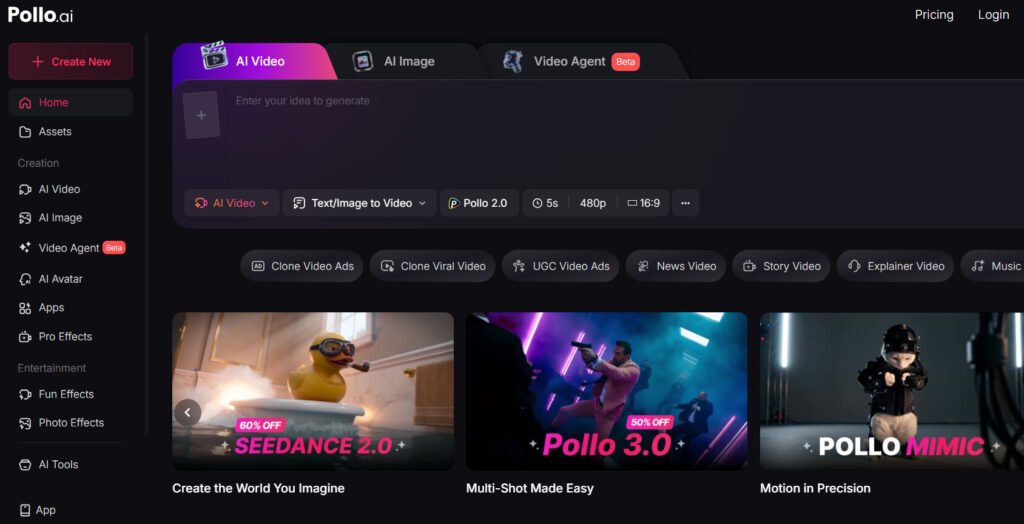
Managing multiple AI subscriptions can be both costly and inefficient. Pollo AI addresses this by bringing together leading video models like Seedance 2.0, Sora 2, Veo 3.1, Kling 3.0, and Luma into a single platform. With its flexible credit-based system, beginners can easily create high-quality videos from start to finish—while seamlessly testing and comparing different models without switching tools.
Affiliate Disclosure: If you purchase through our link, we may earn a small commission at no extra cost to you.
What Is Pollo AI? (And Why It Works Differently)
Pollo AI is best understood as a “video AI control panel”.
Instead of:
- Paying separately for Runway
- Waiting for Kling access
- Testing multiple tools manually
You get:
👉 One dashboard → multiple video models → one credit system
Why This Matters
In practice:
- You can generate motion with Kling
- Then switch to Runway for cinematic output
- Without changing platforms
👉 This dramatically reduces friction — especially for beginners
But there’s a trade-off:
Higher effective cost per generation (aggregator margin)
Less control than native tools
Get Seedance 2.0 — Limited-Time 60% Off!
How to Use Pollo AI for Beginners (Real Workflow That Actually Works)
Most beginners fail with Pollo AI for one reason:
👉 They treat it like a single tool — not a multi-model system.
The Correct Beginner Workflow
Step 1 — Start with the cheapest model
- Never begin with premium models (Veo, Kling high-tier)
Step 2 — Write a simple, testable prompt
Example:
- ❌ “a girl dancing”
- ✅ “medium shot, girl smiling, slow head turn, soft lighting”
Step 3 — Generate low-cost preview
Step 4 — Only then switch to premium model
Why This Works
From real user reviews and usage patterns:
- A single video costs ~4–5 credits
- Failed outputs – sometimes triggered by unexpected NSFW filters—result in full credit loss 👉 This workflow prevents burning 50–100 credits in one session.
👉 This workflow prevents burning 50–100 credits in one session
Step-by-Step Tutorial: Pollo AI Core Workflows for Creators
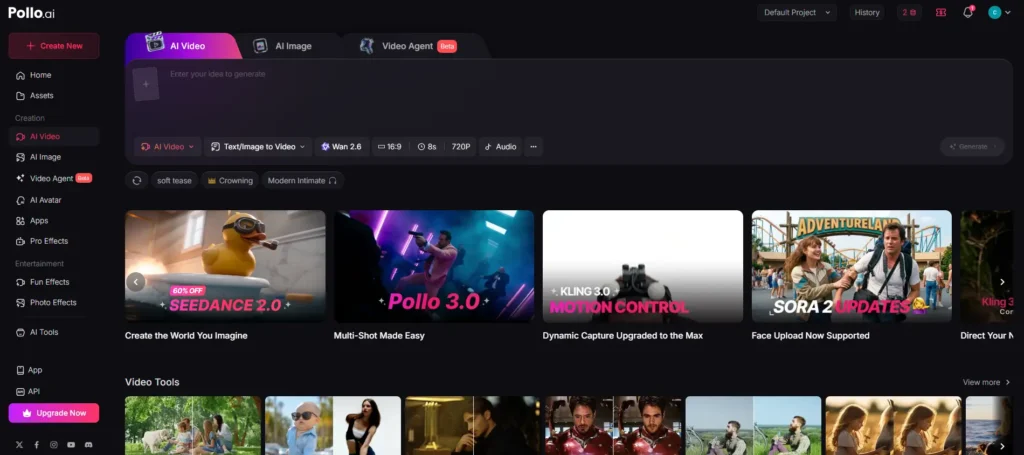
Image-to-Video (I2V): How to Make Static Characters Move & Dance
The single most popular feature among users is the Image-to-Video (I2V) capability. This is how you take an AI-generated photo (like a Midjourney character) and bring it to life.
- Step 1: Click on the Image-to-Video tab on the main dashboard.
- Step 2: Upload your static reference image.
- Step 3: Select a model known for good motion consistency (e.g., Kling or Luma).
- Step 4: Write a simple, action-oriented prompt (e.g., “The woman turns her head, smiles, and waves at the camera”).
- Step 5: Hit generate. The AI will use your image as the first frame and extrapolate the requested motion.
Real Use Case
- Input: Midjourney character image
- Output: Talking / dancing / reacting character
Prompt-Based Text-to-Video: Generating B-Roll for Social Media
For completely scratch-built videos, Text-to-Video is your go-to tool. This is perfect for creating faceless YouTube Shorts or cinematic B-roll.
To get the best results, structure your prompt like a film director. Instead of typing “a dog running,” type: “Cinematic wide shot, tracking camera, a golden retriever running through a sunlit forest, 4k resolution, photorealistic.” Specifying the camera angle and lighting drastically improves the output quality across all models.
The 2026 “Video Agent”: Automating Viral TikTok Shorts & Marketing Ads
Introduced in 2026, the Video Agent is Pollo AI’s most powerful automation tool. It removes the need for manual prompting entirely.
By pasting an Amazon product link or a viral TikTok URL into the Video Agent, the AI automatically analyzes the content. It then scripts a short UGC (User Generated Content) ad, splits it into multiple scenes, generates the visual assets, and stitches them together with an AI voiceover—all in one click.
Real Use Case
- Input: Amazon product link
- Output:
- Script
- Scenes
- Voiceover
- Final video
Who This Is For
- Marketers
- Dropshippers
- Content creators
Insight
👉 This replaces:
- Script writing
- Editing
- Asset sourcing
Pollo AI Image-to-Video Tips (How to Get Realistic Results)
Based on repeated testing and observed patterns:
1. Keep Motion Simple
- Small gestures > full-body movement
2. Choose the Right Model
- Kling → realism
- Luma → smoother motion
3. Anchor the Face
- Avoid extreme angles
- Use front-facing images
Result
👉 More stable outputs
👉 Fewer wasted credits
Pollo AI Text-to-Video Prompt Guide (What Actually Works)
The Biggest Mistake
Most users:
👉 Describe “what” but not “how it’s filmed”
Winning Prompt Structure
- Camera: wide shot / close-up
- Movement: tracking / pan
- Lighting: soft / dramatic
- Style: cinematic / realistic
Real Insight
👉 AI models respond better to film language than plain description
Best Way to Use Pollo AI Without Wasting Credits
Understanding the Credit Burn Rate: Why Does It Cost 5 Credits Per Video?
The biggest complaint surrounding Pollo AI’s pricing structure is how quickly the $15 Lite plan (300 credits) vanishes. High-fidelity video generation requires immense server compute power.
Depending on the resolution and model selected, generating a single 5-second video often costs between 4 to 5 credits. If you generate a video and the AI messes up the character’s face—which happens frequently—those credits are gone. There are no refunds for “bad” generations.
The Testing Pipeline: Using Cheap Models Before Rendering High-Res
To avoid burning through your monthly allowance in a single afternoon, you must adopt a professional testing pipeline.
- Draft Phase: First, test your text prompt using the cheapest base model available (often costing only 1 credit).
- Review Phase: Check if the composition, lighting, and general motion align with your vision.
- Final Render: Only once the prompt is verified should you switch to an expensive premium model (like Veo 3.1 or Sora 2) and render the final high-resolution cut.
Free Generation Strategies: Maximizing Daily Logins and Multi-Account Hacks
Because of the high costs, instead of endlessly searching for a Pollo AI promo code, budget-conscious users rely on daily login rewards to farm free credits. You can earn around 2 to 4 credits simply by logging into the dashboard daily.
Some users on Reddit admit to utilizing “gray-hat” methods: using VPNs and cycling through multiple disposable email accounts to repeatedly claim the 10-credit new user sign-up bonus, effectively creating a completely free, albeit tedious, generation workflow.
How to Use Pollo AI for Social Media Content (TikTok & Shorts)
Use Case: Faceless Content Factory
Workflow
- Generate script (or Video Agent)
- Generate clips (Text-to-Video)
- Batch produce
Before vs After
Before
- Manual editing
- Hours per video
After
- AI generation
- Scalable production
Result
👉 Enables volume-based content strategy
Common Problems When Using Pollo AI (And How to Fix Them)
1. Credits Disappear Too Fast
Fix:
- Always test prompts first
2. Output Quality Is Inconsistent
Fix:
- Use structured prompts
- Switch models strategically
3. Subscription & Billing Risks
Problem:
- Auto-renewal issues
- No PayPal support
Solution**
- Use virtual cards (Privacy / Revolut)
- Never use main credit card
Is Pollo AI Worth It? Real Cost vs Value Breakdown
When It IS Worth It
- Beginners
- Marketers
- Multi-model testing
When It’s NOT
- Advanced users
- High-volume production
- Need precise control
Key Insight
👉 Pollo AI is best as:
- A testing environment
- A beginner-friendly entry point
Pollo AI vs. Direct Models (Runway & Kling): When to Switch?
The “Aggregator Tax”: Trading Professional Control for Fast Simplicity
Pollo AI is a fantastic starting point, but it charges an invisible “aggregator tax.” Because they have to pay the API fees of Runway and Kling while keeping a profit margin, the credit math is inherently worse than going direct.
If you find yourself only using Kling within Pollo AI, you are wasting money. At that point, you should cancel Pollo AI and subscribe directly to Kling. You will get higher generation limits, fewer server bottlenecks, and access to the native tool’s advanced camera controls that aggregators often strip away.
FAQ: Real Questions Answered
Can beginners use Pollo AI easily?
Yes — it has one of the lowest learning curves among AI video tools.
Can I use Pollo AI for business or ads?
Yes — especially with the Video Agent feature.
Can I use it for free?
Yes, through daily credits and signup bonuses.
Is Pollo AI safe to use?
Yes, but be cautious with subscriptions and payment methods.
Which model should I choose?
- Kling → realism
- Runway → cinematic
- Luma → smooth motion
Final Verdict: Is Pollo AI the Right AI Video Generator for You?
Pollo AI remains a brilliant tool for beginners and social media marketers who need fast, diverse content without the headache of managing ten different AI subscriptions. Its Video Agent and Image-to-Video workflows are incredibly streamlined.
However, its high credit costs, lack of fine-tuned professional controls, and questionable billing practices make it less ideal for power users. Use Pollo AI to test the waters and discover which underlying model you prefer, but be prepared to transition to a direct platform once you need to scale your video production.